---
title: "Customize Email Content"
slug: "customize-email-content"
status: "new"
updated: 2026-11-19T01:51:39Z
published: 2026-11-19T01:51:39Z
canonical: "docs.rocket.chat/customize-email-content"
---
> ## Documentation Index
> Fetch the complete documentation index at: https://docs.rocket.chat/llms.txt
> Use this file to discover all available pages before exploring further.
# Customize Email Content
You can change how the emails from your workspace look and what they say. This guide covers the email style, header and footer, notification subjects, privacy options, and the templates for each type of email, such as invitations, password resets, and verification emails.
Before you customize emails, make sure email is set up and working. For instructions, see [Configure Email](/v1/docs/configure-email).
To open the email settings, go to **Manage → Workspace → Settings → Email**.
## Configure email behavior and styling
The sections of the **Email** settings control how emails are sent, what they contain, and how they look. You can update these in any order.
### Direct reply
Configures the inbox Rocket.Chat reads to capture user replies to email notifications, so users can respond to a message directly from their inbox instead of opening the workspace.
This section has its own guide, because the setup involves IMAP credentials and connection details. For instructions, see [Configure Email Direct Reply](/v1/docs/configure-email-direct-reply).
### Privacy
Controls how much message content is included in outgoing email notifications and how replies are routed.
- **Show Message in Email Notification**: When enabled, the message body is included in notification emails. Disable to send only that a message was received, without its content.
- **Add Sender to Reply-To**: When enabled, the original message sender is added to the `Reply-To` header so replies go directly to them.
### Style
Controls the visual styling applied to all emails.
- **Send only plain text emails**: When enabled, all outgoing emails are plain text with no HTML or styling.
- **Email Style**: Custom CSS applied to every email. Use this to match emails to your brand.
### Header and footer
Defines the header and footer used across all emails.
- **Header**: HTML inserted at the top of every email.
- **Footer**: HTML inserted at the bottom of every email.
- **Footer When Direct Reply is Enabled**: A separate footer used when [direct reply](/v1/docs/configure-email-direct-reply) is enabled, typically used to instruct the user how to reply.
### Subject
Defines the subject lines used for notification emails. Each field accepts the following placeholders:
| Placeholder | Description |
| --- | --- |
| `[Site_Name]` | The workspace (application) name. |
| `[Site_URL]` | The workspace URL. |
| `[User]` | The username of the user triggering the notification. |
| `[Room]` | The room name. |
Update the following fields:
- **Direct Message Email Subject**: Subject used when a user receives a direct message notification. Default: `[[Site_Name]] You have been direct messaged by [User]`
- **Mention Email Subject**: Subject used when a user is mentioned in a room. Default: `[[Site_Name]] You have been mentioned by [User] in #[Room]`
- **Mention All Email Subject**: Subject used for `@all` mentions in a room. Default: `[User] has posted a message in #[Room]`
### Offline message
- **Use Deep Link URL Format**: When enabled, links in emails use Rocket.Chat's deep-link format so they open the desktop or mobile app when available, falling back to the browser otherwise.
---
## Define email templates
Rocket.Chat sends pre-defined emails when specific events occur, such as account registration, password reset, and email verification. You can override the subject and body of each template, or leave them as defaults.
Each template accordion contains:
- **Subject**: The subject line used for that email.
- **Body**: The HTML body. Default content is pre-filled and can be edited freely.
> [!NOTE]
> - Available placeholders are listed at the bottom of the field you're editing.
> - Wrap strings in `{ }` to use Rocket.Chat's [internationalization engine](https://github.com/RocketChat/Rocket.Chat/tree/develop/packages/i18n/src/locales).
> - Use placeholders like `[Site_Name]` to insert dynamic values. For example, `[Site_Name]` is replaced with your workspace name.
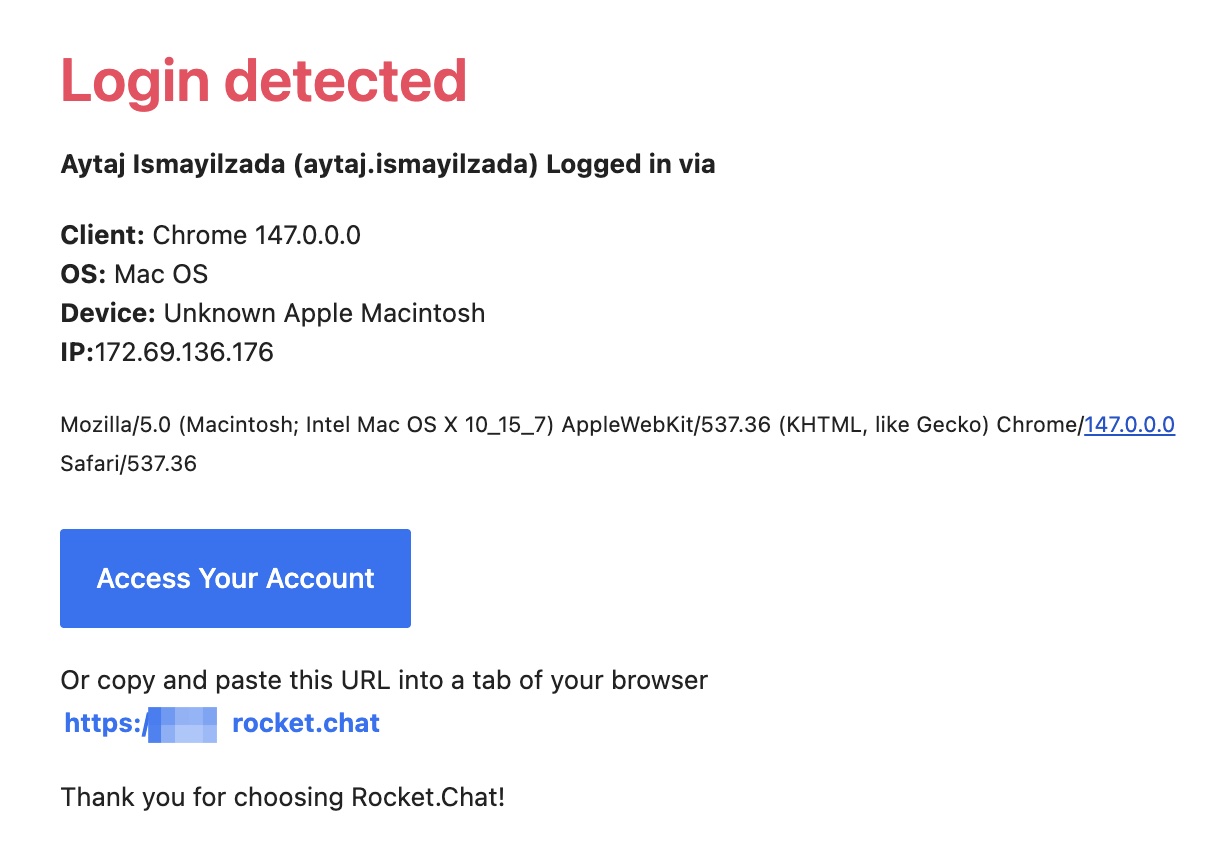
### Device management - login detected
Sent when a workspace login is detected from a new device.
| Placeholder | Description |
| --- | --- |
| `{Login_Detected}` | Heading displayed at the top of the email. |
| `[name] ([username]) {Logged_In_Via}` | The user's name and username, followed by `Logged in via`. |
| `{Device_Management_Client}:` `[browserInfo]` | Browser used to access the workspace. |
| `{Device_Management_OS}:` `[osInfo]` | Operating system. |
| `{Device_Management_Device}:` `[deviceInfo]` | Device information. |
| `{Device_Management_IP}:` `[ipInfo]` | IP address used. |
| `{Date}:` `[date]` | Date and time of access. |
| `[userAgent]` | Additional browser and device details. |
| `<a class="btn" href="[Site_URL]">{Access_Your_Account}</a>` | Button linking to the workspace. |
| `{Or_Copy_And_Paste_This_URL_Into_A_Tab_Of_Your_Browser}<br><a href="[Site_URL]">[SITE_URL]</a>` | Plain-text fallback link below the button. |
| `{Thank_You_For_Choosing_RocketChat}` | Closing line. |
**Default body HTML:**
```xml
{Login_Detected}
[name] ([username]) {Logged_In_Via}
{Device_Management_Client}: [browserInfo]
{Device_Management_OS}: [osInfo]
{Device_Management_Device}: [deviceInfo]
{Device_Management_IP}:[ipInfo]
{Date}: [date]
[userAgent]
{Access_Your_Account}
{Or_Copy_And_Paste_This_URL_Into_A_Tab_Of_Your_Browser}
[SITE_URL]
{Thank_You_For_Choosing_RocketChat}
```
**Example email:**
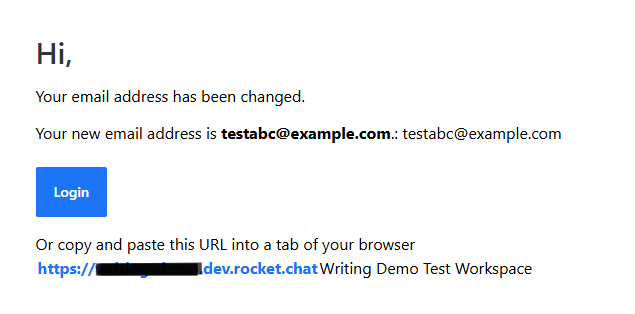
### Email address changed
Sent when a user's email address is updated.
| Placeholder | Description |
| --- | --- |
| `[email]` | The user's new email address. |
| `[Site_Name]` | The workspace name. |
| `[Site_URL]` | The workspace URL. |
**Default body HTML:**
```xml
{Hi},
{Your_email_address_has_changed}
{Your_new_email_is_email}: [email]
{Login}
{Or_Copy_And_Paste_This_URL_Into_A_Tab_Of_Your_Browser}
[SITE_URL][Site_Name]
```
**Example email:**
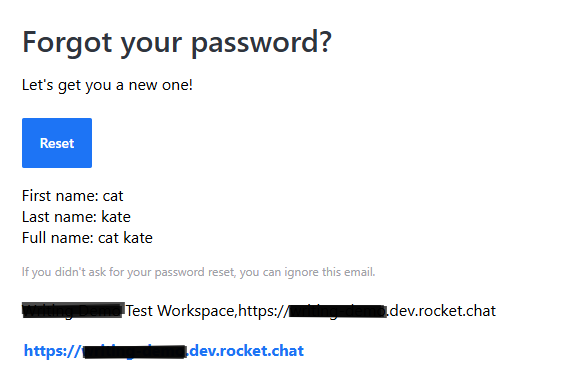
### Forgot password
Sent when a user clicks **Forgot password** on the login screen, prompting them to reset.
| Placeholder | Description |
| --- | --- |
| `[Forgot_Password_Url]` | The password reset URL. |
| `[name]`, `[fname]`, `[lname]` | Full name, first name, last name. |
| `[email]` | The user's email address. |
| `[Site_Name]` | The workspace name. |
| `[Site_URL]` | The workspace URL. |
**Default body HTML:**
```xml
{Forgot_password}
{Lets_get_you_new_one_}
{Reset}
First name: [fname]
Last name: [lname]
Full name: [name]
{If_you_didnt_ask_for_reset_ignore_this_email}
[Site_Name],[Site_URL]
[SITE_URL]
```
**Example email:**
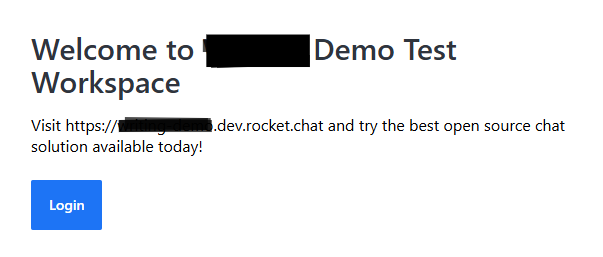
### Invitation
Sent when a user is invited to join the workspace.
| Placeholder | Description |
| --- | --- |
| `[email]` | The invited user's email address. |
| `[Site_Name]` | The workspace name. |
| `[Site_URL]` | The workspace URL. |
**Default body HTML:**
```xml
{Welcome_to}
{Visit_Site_Url_and_try_the_best_open_source_chat_solution_available_today}
{Join_Chat}
```
**Example email:**
### Password changed
Sent when an admin resets a user's password. Admins can trigger this by editing a user and selecting **Set randomly and send by email** in the **Users** tab. For instructions, see [Manage Workspace Users](/v1/docs/manage-workspace-users#reset-user-password).
| Placeholder | Description |
| --- | --- |
| `[password]` | The user's temporary password. |
| `[name]`, `[fname]`, `[lname]` | Full name, first name, last name. |
| `[email]` | The user's email address. |
| `[Site_Name]` | The workspace name. |
| `[Site_URL]` | The workspace URL. |
**Default body HTML:**
```xml
{Hi},
{Your_password_was_changed_by_an_admin}
{Your_temporary_password_is_password}
{Login}
```
**Example email:**

### Registration
Sent to new users when they self-register on the workspace.
| Placeholder | Description |
| --- | --- |
| `[name]`, `[fname]`, `[lname]` | The user's full name, first name, and last name, respectively. |
| `[email]` | The user’s email address. |
| `[Site_Name]` | The workspace name. |
| `[Site_URL]` | The workspace URL. |
**Default body HTML:**
```xml
{Welcome_to}
{Visit_Site_Url_and_try_the_best_open_source_chat_solution_available_today}
{Login}
```
### Registration via admin
Sent when an admin registers a user on the workspace on their behalf.
| Placeholder | Description |
| --- | --- |
| `[name]`, `[fname]`, `[lname]` | The user's full name, first name, and last name, respectively. |
| `[email]` | The user’s email address. |
| `[Site_Name]` | The workspace name. |
| `[Site_URL]` | The workspace URL. |
**Default body HTML:**
```xml
{Welcome_to}
{Visit_Site_Url_and_try_the_best_open_source_chat_solution_available_today}
{Login}
```
**Example email:**

### Verification
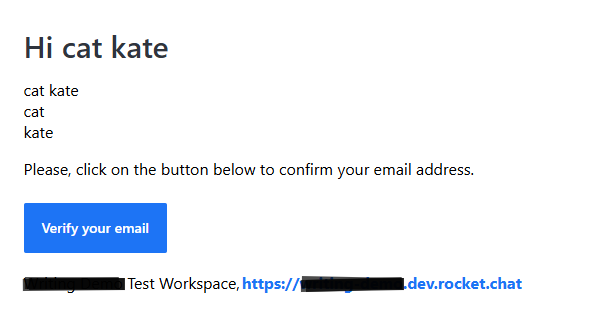
Sent when a user needs to verify their email address, for example, after updating it.
| Placeholder | Description |
| --- | --- |
| `[Verification_Url]` | The email verification URL. |
| `[name]`, `[fname]`, `[lname]` | Full name, first name, last name. |
| `[email]` | The user's email address. |
| `[Site_Name]` | The workspace name. |
| `[Site_URL]` | The workspace URL. |
**Default body HTML:**
```xml
{Hi_username}
[name]
[fname]
[lname]
{Verification_email_body}
{Verify_your_email}
[Site_Name],[Site_URL]
```
**Example email:**
---
## Next steps
To let users reply to email notifications from their inbox, see [Configure Email Direct Reply](/v1/docs/configure-email-direct-reply).