The logo is the primary way people recognize Rocket.Chat. It combines the symbol, a speech bubble, with the wordmark. Use them together by default whenever space allows.

Always use the official logo files. Never redraw, retype or approximate the logo. Download the official files from the Media kit.
Logo variants
There are three logo variants, which together cover every layout. Start with the horizontal logo and switch to another variant only when space requires it.
Horizontal (primary)
The horizontal logo is the default for all materials, including websites, slides, documents, partner pages and print. Use it wherever it fits.

Vertical (stacked)
Use the vertical logo in narrow or square spaces where the horizontal logo doesn't fit but the Rocket.Chat name must still appear. Use it sparingly.

Symbol only
Use the symbol on its own for app icons, favicons and social media avatars, where the context already makes the Rocket.Chat name clear. Never use it in place of the full logo in formal or first-impression materials.

Clear space
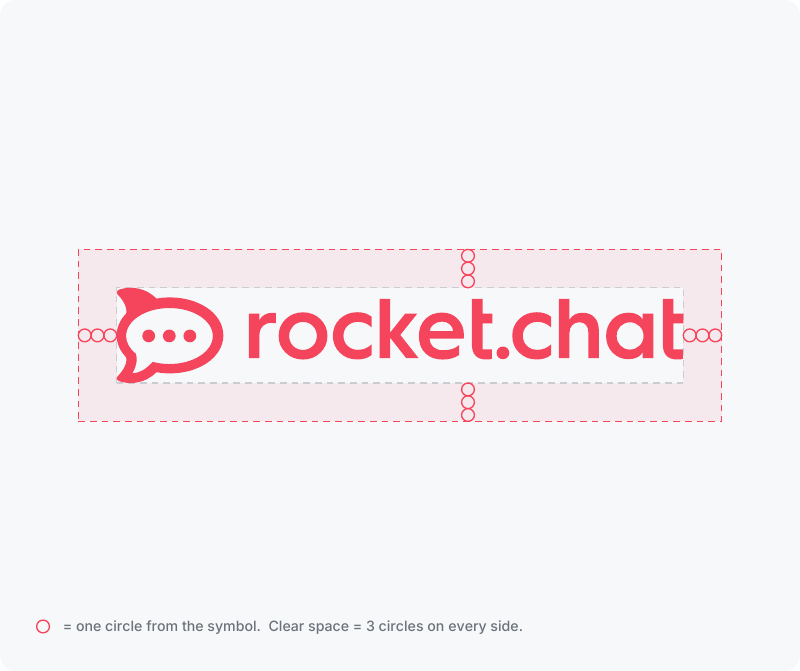
Give the logo room to breathe. Keep an empty area around it equal to three circles from the Rocket.Chat symbol.
The clear space applies equally on all four sides.
It applies to every variant: horizontal, vertical and symbol only.
Keep text, images, borders, patterns and other logos out of this area.
The clear space scales with the logo.
When in doubt, leave more space, not less.
Positioning in icons
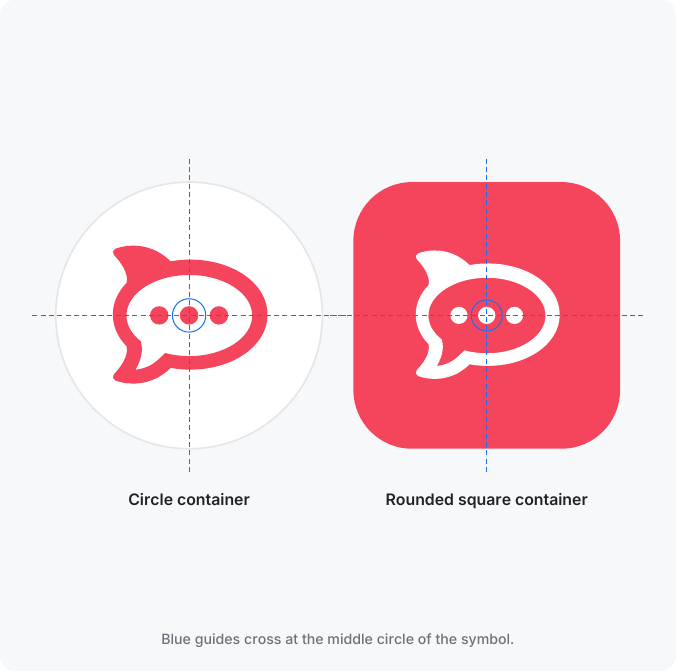
When you place the symbol inside a circle or square, such as an app icon, profile picture or badge, center it on the middle circle of the symbol rather than on its outer edges. This makes it look visually balanced.
Align the middle circle with the center of the container.
Keep equal padding on all sides.
In circular containers, the symbol must never touch or cross the edge.
In rounded squares, add a little extra inner padding.
Logo colors
The logo always appears in a single color: red, white or black. Never combine two colors in one logo.
Version | When to use it |
|---|---|
Red (default) | On white or light backgrounds. The whole logo is Rocket Red ( |
White | On dark or colored backgrounds. The whole logo is white. |
Black | On light backgrounds when color printing isn't available. The whole logo is black. |
On photos or busy backgrounds, place the logo on a solid container, or use the white or black version with strong contrast. For the full palette, see the Colors article.
What not to do
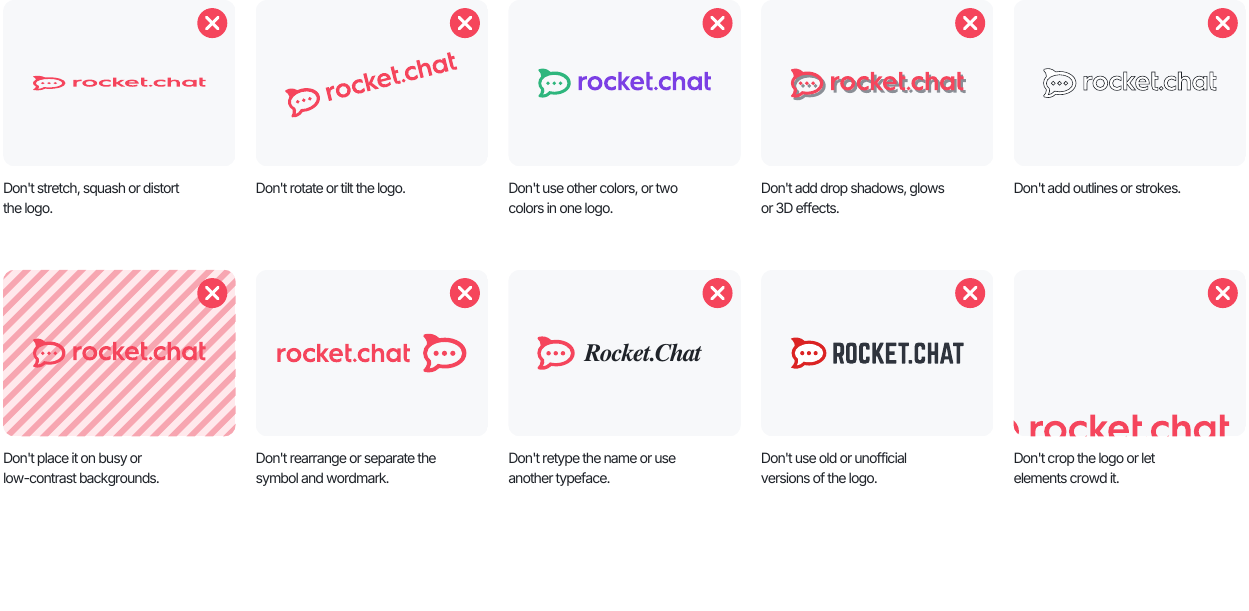
Altering the logo in any way weakens the brand. Avoid these common mistakes:
Don't stretch, squash or distort the logo.
Don't rotate or tilt the logo.
Don't use other colors, or two colors in one logo.
Don't add drop shadows, glows or 3D effects.
Don't add outlines or strokes.
Don't place the logo on busy or low-contrast backgrounds.
Don't rearrange or separate the symbol and the wordmark.
Don't retype the name or set it in another typeface.
Don't use old or unofficial versions of the logo.
Don't crop the logo or let other elements crowd it.